How to Hack a Yahoo Account? Hacking Techniques and Protection 2026

Discover how to hack a Yahoo account: hacking techniques (phishing, SIM swapping, malware), methods used by hackers and solutions to protect your account. Complete guide 2026.

Understand the risks Strengthen your security

How to Hack a Yahoo Account: Common Techniques

Understand the hacking methods used by hackers to compromise Yahoo accounts

WARNING!

The purpose of this article is to explain and understand the methods used by some hackers to compromise Yahoo accounts. This approach is educational — do not use this information to break the law.

PASS ACCESS:
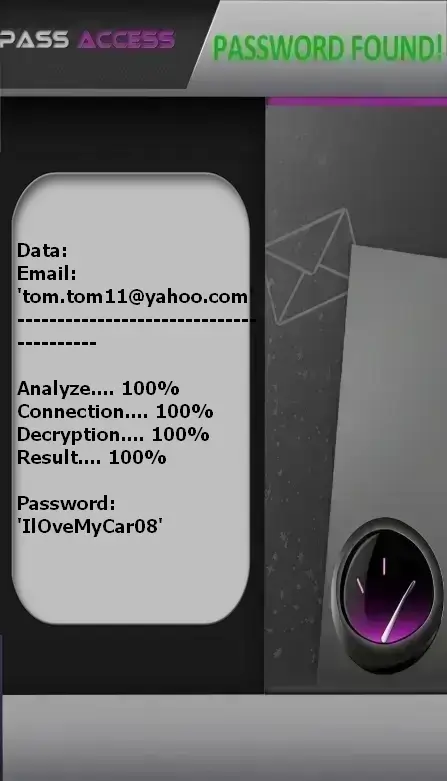
Decrypt Yahoo passwords

With the PASS ACCESS application, quickly decrypt access to a Yahoo account using only an email address or phone number. This allows you to connect from a computer, smartphone, or tablet. Here’s how:


1. Download the application from the official website: https://www.passwordrevelator.net/en/passaccess


2. After installation, enter the email address or phone number linked to the Yahoo account you wish to decode.


3. Then, launch the scan. PASS ACCESS will give you access to the Yahoo account within minutes so you can log in.


You can use it on as many accounts as you want — there is no limit!


Phishing

Phishing is the most common method for stealing Yahoo credentials. Attackers create fake emails or websites that perfectly mimic Yahoo’s official interface to trick users.

How it works:

  1. Sending an email appearing to come from Yahoo, with an urgent subject like “Your account will be deactivated” or “Review your recent activity”.
  2. The email contains a link to a fraudulent login page identical to Yahoo’s.
  3. When the user enters their credentials, they are immediately captured by the attacker.
  4. Attackers often use look-alike domains: support@yaho0.com, yahoo-security@yahoо.com (with a Cyrillic ‘о’).

How to protect yourself:

  • Never click links in unsolicited emails.
  • Always check the URL in the address bar: it must start with https://login.yahoo.com.
  • Watch for typos, inconsistent fonts, or blurry logos.
  • Use the “Report phishing” button in your email client.

Keylogging

A keylogger is malware installed on your device that records every keystroke — including your passwords.

How it gets installed:

  • By downloading infected free software (cracks, games, conversion tools).
  • Through malicious email attachments.
  • By exploiting vulnerabilities in outdated browsers.

How to protect yourself:

  • Install a reliable antivirus and keep it updated.
  • Avoid unofficial download sites.
  • Scan your device regularly.
  • Use a password manager to avoid typing passwords manually.

Hacking by Brute-force and Dictionary Attacks

Attackers use automated software to try thousands or even millions of password combinations for hacking until they find the correct one.

Methods used:

  • Dictionary attack: tries common words like “password”, “123456”, “Hello2024”.
  • Brute-force attack: tests all possible combinations of letters, numbers, and symbols.
  • Uses databases of stolen passwords (e.g., Have I Been Pwned).

How to protect yourself:

  • Create a long (minimum 16 characters), complex, and unique password for Yahoo.
  • Avoid personal information: birthdates, pet names, cities.
  • Enable two-factor authentication (2FA): even if the password is guessed, access remains blocked.
  • Yahoo automatically blocks repeated attempts — but don’t rely on this alone.

Social engineering

Attackers exploit human trust rather than technical flaws. They impersonate a friend, colleague, or support agent.

Common techniques:

  • Phone call: “Hello, I’m from Yahoo support — your account has been compromised.”
  • Social media message: “I’m locked out of my Yahoo account — can you share your password to help me?”
  • Exploiting security questions: publicly available info on LinkedIn or Facebook to guess answers like “mother’s maiden name”.

How to protect yourself:

  • Never give your password to anyone — Yahoo will never ask for it.
  • Use security question answers that aren’t publicly findable (e.g., “My first cat was named Whiskers, but I answered ‘BlueIce2019!’”).
  • Stay skeptical of urgent requests.

Password reset via weak security questions

Many users choose overly simple security questions, making their accounts easy for attackers to recover.

How attackers exploit these weaknesses:

  • Searching social media: “What is your birth city?” → found on a public profile.
  • Standard questions: “What’s your first pet’s name?” → often known by family.
  • Using leaked data to cross-reference answers across accounts.

How to protect yourself:

  • Choose custom questions or invent fictional but memorable answers.
  • Avoid preset questions; use complex answers even if they seem absurd.
  • If possible, disable security questions and use two-factor authentication instead.

Hacking by Malware and Spyware

Trojans or viruses can be silently installed to steal credentials stored in your browser or password managers for hacking.

How they spread:

  • Compromised websites (malicious ads — “malvertising”).
  • .exe or .zip files downloaded from unreliable forums.
  • Unverified browser extensions.

How to protect yourself:

  • Never download executable files (.exe, .bat, .msi) without verifying their source.
  • Use an active firewall and anti-malware tool.
  • Uninstall unknown or unused browser extensions.
  • Use a modern browser (Chrome, Firefox, Edge) with automatic updates enabled.

Zero-day software vulnerabilities

These attacks are rare and used by advanced cybercriminals. They exploit flaws not yet patched by Yahoo.

What this involves:

  • A vulnerability in Yahoo Mail’s code allowing remote script execution.
  • A flaw in your OS or browser allowing session interception.

How to protect yourself:

  • Keep your OS, browser, and apps updated.
  • Enable automatic updates.
  • Use a VPN to encrypt traffic on public networks.
  • Stay informed about Yahoo security alerts via their official blog.

How to Hack a Yahoo Account: Yahoo-Specific Vulnerabilities

Understand potential weaknesses that hackers use for hacking

Deep links and redirects

Exploitation of hidden links in emails or messages to redirect to phishing pages.

  • Masked links behind texts like “Click here to verify your account”.
  • Use of similar domains: yahoo-security.net, yahoo-login.info.
  • Multiple redirects to bypass security filters.
  • Scripts embedded in email previews to load malicious content.

XSS vulnerabilities in Yahoo

Injection of malicious scripts via input fields or formatted emails.

  • JavaScript execution in the inbox to steal session cookies.
  • Theft of authentication tokens via malicious images or tags.
  • Creation of persistent backdoors in account settings.
  • Targeted attacks on users who enabled certain sharing features.

Hacking by Advanced Social Engineering

Psychological manipulation exploiting Yahoo features for hacking.

  • Urgent emails impersonating trusted contacts (e.g., “I lost my phone — help me recover my account”).
  • Fake password reset messages sent to third parties.
  • Account compromise of a professional email used to send messages to colleagues.
  • Phishing via shared collaborative documents (Yahoo Docs).

Innovative Protection Strategies

Effective methods to secure your Yahoo account

Multi-layer Authentication

Defense-in-depth to secure your account.

Advanced strategies:

  • Enable two-factor authentication (2FA) via an authenticator app (Google Authenticator, Authy) — far more secure than SMS.
  • Use a physical security key (YubiKey, Titan) as a second factor.
  • Set up real-time login notifications for every new device.
  • Enable geographic-based security verification.

Active Session Management

Monitor and control devices connected to your account.

Best practices:
  1. Go to your Yahoo account security settings.
  2. Review the list of active devices and sessions.
  3. Immediately log out any unknown or suspicious session.
  4. Limit the number of authorized devices.
  5. Enable “Remote logout” to terminate all sessions if in doubt.

Third-Party App Protection

Secure your account against unauthorized external tools.

Essential measures:

  • Revoke access for unused third-party apps (e.g., email clients, calendars).
  • Never grant “Full access” to untrusted applications.
  • Review your connected apps list monthly in Yahoo settings.
  • Use a secondary Yahoo account for third-party services or subscriptions.

How to Prevent Yahoo Account Hacking: Advanced Security Solutions

Protect your Yahoo account from hacking with professional tools

Enhanced Protection Program

Enable this feature for maximum defense against cyber threats.

Hardware Security Keys

Use physical keys as a second authentication factor.

Proactive Threat Analysis

Detect and block threats before they reach your inbox.

Complete Security Strategy

Yahoo security checklist:

  • Strong, unique passwords (minimum 16 characters)
  • Mandatory two-factor authentication (via authenticator app, never SMS)
  • Monthly review of security settings and connected devices
  • Two-step verification for new logins
  • Disable access for unverified third-party apps
  • Active monitoring of login activity via Yahoo alerts
  • Regular OS and browser updates

What to do if hacked by a hacker by a hacker?

Recovery procedure:

  1. Immediately go to Yahoo’s password reset page: https://login.yahoo.com/forgot
  2. Use your backup email or phone number to recover access.
  3. Change your password to a new, strong, unique one.
  4. Log out of all active sessions in security settings.
  5. Scan all your devices with a trusted antivirus.
  6. Change passwords for any other accounts where you reused your Yahoo password.
  7. Enable two-factor authentication if not already active.
  8. Report the incident to Yahoo via their security center: https://help.yahoo.com

Expert Tip

For optimal Yahoo account protection, use a professional password manager like Bitwarden or 1Password. Enable two-factor authentication with a dedicated app (Authy, Google Authenticator) rather than SMS. Avoid public Wi-Fi when accessing sensitive accounts — use a VPN if necessary. Regularly review Yahoo’s security reports to stay informed about emerging threats and security updates.

Frequently Asked Questions

Find answers to the most common Yahoo security questions

Yahoo Account Security FAQ

How can I tell if my Yahoo account has been hacked

Signs of a compromised account:

  • Emails sent without your authorization
  • Settings changed without your action
  • Logins from unknown locations or devices
  • Unsolicited password reset messages
  • Contacts reporting strange messages from you
What should I do if I've lost access to my Yahoo account due to hacking?
  1. Use the "Forgot password" option on the login page
  2. Check your recovery methods (secondary email or phone)
  3. Contact Yahoo support via their help center
  4. Provide the requested information to verify your identity
  5. Immediately enable two-factor authentication after recovery
Is two-factor authentication really necessary to prevent hacking?

Absolutely! 2FA adds an essential security layer:

  • Prevents 99.9% of automated attacks
  • Protects even if your password is compromised
  • Offers varied authentication options (SMS, authenticator app, physical key)
  • Provides instant alerts for suspicious login attempts
How do I create a secure password for Yahoo to prevent hacking?

Characteristics of a strong password:

  • Minimum 12 characters (16+ recommended)
  • Mix of uppercase/lowercase letters, numbers, and symbols
  • No personal information (names, birthdates)
  • Unique for each important account
  • Changed every 3-6 months
  • Use a password manager to store them
What should I do if I receive a suspicious email from Yahoo for hacking?
  1. Do not click any links or open attachments
  2. Verify the sender's email address (beware of subtle variations)
  3. Report the message as phishing in your email client
  4. Immediately delete the email after reporting it
  5. If you clicked a link, change your password right away
  6. Run a full antivirus scan on your device