How to Hack an Instagram Account? Hacking Techniques and Protection 2026

Discover how to hack an Instagram account: hacking techniques (phishing, SIM swapping, malware), methods used by hackers and solutions to protect your account. Complete guide 2026.

Understand the threats

Common Instagram Hacking Methods

Discover how hackers gain access to Instagram accounts

WARNING!

This page explains how attackers hack Instagram accounts. The intent is strictly educational and informative. Any malicious use of this information is strongly discouraged.


Understand the Threats to Better Protect Yourself

Are you trying to understand how Instagram accounts are hacked? This is not only legitimate—it’s essential. The best defense against hacking isn’t a magic tool… it’s knowledge. In this guide, we reveal real techniques used by hackers—not to promote hacking, but to arm you against it. You’ll learn how attackers operate, why they target Instagram accounts, and most importantly, how to stop them before they strike.

Why is Instagram targeted? Who is vulnerable?

Instagram isn’t just a social network—it’s a valuable platform. Hackers target Instagram accounts to:

  • Make money: Selling influential accounts with thousands of followers on the dark web.
  • Steal personal data: Emails, phone numbers, locations—sold to third parties.
  • Spread spam and scams: Use your account to send fraudulent messages to your followers.
  • Extort money: Threaten to post private or compromising content.
  • Impersonate identities: Pretend to be you to damage your personal or professional reputation.
  • Engage in cyberbullying: Delete content, harass your contacts, or destroy your image.

Who gets targeted? All users. Even if you’re not an influencer, your account can be used as a bridge to reach your contacts or as a tool to spread scams. No account is too small to be targeted.

PASS DECRYPTOR:
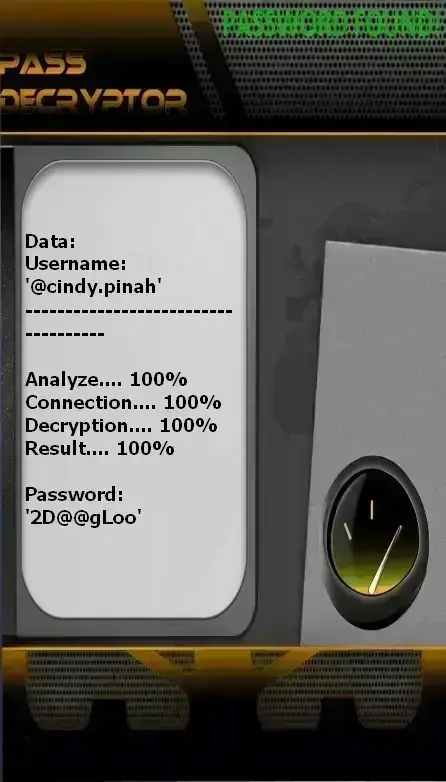
Decrypt Instagram passwords


PASS DECRYPTOR is the application that allows you to quickly decode access to an Instagram account using only a username, email address, or phone number. This allows you to connect from a computer, smartphone, or tablet. Here’s how:


1. Download the app from the official website: https://www.passwordrevelator.net/en/passdecryptor


2. After installation, enter the @username, email address, or phone number associated with the Instagram account you want to decrypt.


3. Then, launch the analysis. PASS DECRYPTOR will grant you access to the Instagram account within minutes so you can log in.


You can use it on as many accounts as you like—there’s no limit!

How to Hack an Instagram Account: The 6 Most Common Methods

How hackers hack Instagram accounts—and how to stop them

Phishing: The Most Widespread Technique

Over 90% of attacks rely on this method. Hackers create fake login pages or DMs that perfectly mimic Instagram’s interface.

How it works:

  • You receive a message: “Your account will be suspended in 24 hours—click here to verify”
  • You click the link → you land on a page identical to Instagram, but hosted on a malicious domain (e.g., instagrarn[.]com)
  • You enter your email/password → this info is instantly sent to the hacker
  • You’re redirected to the real Instagram → you notice nothing unusual
Advanced techniques:
  • Use of valid SSL certificates to display the green padlock
  • Urgent, fear-based messages: “Copyright issue,” “You’ve won a prize”
  • Fake “account verification” or “marketing collaboration” emails

Social Engineering: Exploiting Human Trust

Instead of breaking code, hackers manipulate people into voluntarily giving away access.

How it works:

  • A DM: “Hi, I’m an Instagram moderator. I need your password to fix a security issue.”
  • Offer of an “account verification tool” that asks for your credentials
  • Pretending to be a friend, brand, or Instagram employee
  • Subtle threats: “If you don’t give me your password, I’ll post your private photo”
Vital advice:
  • Instagram will NEVER ask for your password via DM, email, or phone call
  • Any such request is a scam—report it immediately

Hacking by Malware (Malware & Keyloggers)

Spyware installed on your device records everything you type—including passwords and 2FA codes for hacking.

Distribution methods:

  • Downloading unofficial third-party apps: “Follower generator,” “See who viewed your profile”
  • Opening infected email attachments
  • Visiting a malicious website that silently installs a keylogger
  • Malicious ads (malvertising) on blogs or videos
Major risk:
  • A keylogger can capture your 2FA code as you type it
  • The software runs invisibly in the background
  • It can steal browsing sessions, files, and even access your webcam

SIM Swapping: The Advanced Attack

A sophisticated technique where hackers convince your mobile carrier to transfer your number to a SIM card they control.

SIM Swapping process:

  • Collection of personal info: name, birth date, former address, mother’s name
  • Calling your carrier (Orange, SFR, Bouygues…) pretending to be you
  • Requesting number transfer to a new SIM card
  • Intercepting password reset SMS and 2FA codes
  • Resetting passwords for Instagram, Facebook, Gmail, banking, etc.
Why it’s dangerous:
  • Bypasses SMS-based two-factor authentication—even if enabled
  • Can compromise ALL your online accounts, not just Instagram
  • Very hard to detect until you lose phone service

Hacking by Brute Force & Dictionary Attacks

Automated programs test thousands of password combinations per minute for hacking.

How it works:

  • Using lists of common passwords: 123456, password, instagram2024
  • Combining public info: name, birthdate, pet’s name
  • Targeted attacks after data leaks or phishing
Why it usually fails on Instagram:
  • Instagram temporarily blocks accounts after 3–5 failed attempts
  • It detects automated behavior and blocks suspicious IPs
  • Most accounts use strong passwords—making brute force ineffective

Session Hijacking

Intercepting session cookies to access your account without needing a password.

How it works:

  • “Man-in-the-middle” attacks on unsecured public Wi-Fi (cafés, airports)
  • Malware that captures stored browser cookies
  • XSS (Cross-Site Scripting) vulnerabilities on Instagram-linked sites
Warning signs:
  • You’re logged into Instagram without entering your password
  • Unknown devices appear in Settings > Security > Active Sessions
  • Posts or messages appear that you didn’t create

How to Prevent Instagram Account Hacking: 7 Protection Strategies

Concrete measures to prevent hackers from hacking your Instagram account

1. Use Strong, Unique Passwords

Best practices:

  • Minimum length: 12 characters—ideally 16+
  • Mix uppercase, lowercase, numbers, and symbols: B1ue$ky@2024!L1ght
  • Never use personal info: birth date, pet’s name, city
  • Never reuse the same password across multiple sites
  • Use a password manager: Bitwarden, 1Password, KeePass

2. Enable Two-Factor Authentication (2FA)—BUT NOT VIA SMS!

Best implementation:

  • Go to Settings > Security > Two-Factor Authentication
  • Choose “Authentication App”—never “Text Message”
  • Scan the QR code with Google Authenticator, Authy, or Microsoft Authenticator
  • Save backup codes on paper or in a secure digital vault
  • Avoid third-party authenticator apps—they may be compromised

3. Monitor Your Active Sessions

Best practices:

  • Go to Settings > Security > Active Sessions
  • Regularly review devices and login locations
  • Immediately log out any unknown session
  • Enable login alerts to get notified of every new access

4. Revoke Access for Third-Party Apps

How to do it:

  • Go to Settings > Security > Apps and Websites
  • Click “Manage” for each connected app
  • Delete any you no longer use—even if they seem harmless
  • Deny new permissions if you don’t recognize the publisher

5. Protect Your Devices from Malware

Concrete measures:

  • Install a reliable antivirus (Bitdefender, Kaspersky, Malwarebytes)
  • Only download apps from Google Play Store or App Store
  • Never open email attachments from unknown senders
  • Disable “Install from Unknown Sources” on Android
  • Regularly scan your device—even if nothing seems wrong

6. Use a VPN on Public Wi-Fi

Why?

  • On public Wi-Fi, your data travels unencrypted
  • A hacker can intercept emails, passwords, and sessions
  • A VPN encrypts all your traffic—even on unsecured networks
  • Use NordVPN, ExpressVPN, or ProtonVPN—avoid free VPNs

7. Use a Dedicated Email for Social Media

Simple strategy:

  • Create an email used only for Instagram, Facebook, Twitter, etc.
  • Never use it for shopping, banking, or sensitive services
  • If compromised, your other accounts stay safe
  • Use a reputable provider: ProtonMail, Tutanota, or Gmail with 2FA

What to Do If Your Instagram Account Is Already Hacked?

Act quickly—every minute counts

Immediate steps to take:

  1. Try to log back in: Immediately change your Instagram password.
  2. Report the hack to Instagram: Go to https://help.instagram.com > “I think my account was hacked.”
  3. Change the password of your associated email address—this is often the entry point.
  4. Review and revoke all third-party app access in Settings > Security > Apps and Websites.
  5. Check if your email or phone number was changed: Restore your original info.
  6. Alert your followers: Post a story or message saying your account was compromised.
  7. Run a full antivirus scan on your device.
  8. Enable 2FA with an authentication app if not already done.

Conclusion: Security Starts with Knowledge

Instagram isn’t a game. It’s an integral part of your digital life—and as such, deserves serious protection.

Hackers don’t aim to break systems: they aim to deceive people. That’s why the best defense isn’t software—it’s your awareness.

By understanding how accounts are hacked, you become impossible to manipulate. And that’s where real security begins.

Stay informed. Stay vigilant. Share this article. Your security is also the security of those around you.

Frequently Asked Questions

Common questions about Instagram security

Is it possible to hack an Instagram account without any interaction from the victim successfully?

Most attacks require some form of social engineering or phishing—that is, an action from you: clicking a link, installing an app, or replying to a message.

Can Instagram really protect me if I’m targeted by a hacker?

Instagram implements many automated protections: brute-force blocking, suspicious behavior detection, login alerts. But your security also depends on your actions. Without a strong password and 2FA, even the best systems can fail. You are your first line of defense.

What’s the most common hacking method?

Phishing and social engineering are by far the most used methods—because they exploit human error rather than complex technical flaws. They’re easy to execute, low-cost, and highly effective.

I clicked on a suspicious link—what should I do to prevent hacking?

Immediately change your Instagram password and your associated email password. Enable 2FA if not already active. Run a full antivirus/malware scan on your device. Monitor your active sessions and report any unusual activity to Instagram.

Do “follower generators” actually work?

No—they’re almost always scams designed to steal your credentials, install malware, or charge you for a non-existent service. Avoid them at all costs. They don’t generate followers—they steal your account.