How to Hack a Gmail Account? Hacking Techniques and Protection 2026

Discover how to hack a Gmail account: hacking techniques (phishing, SIM swapping, malware), methods used by hackers and solutions to protect your account. Complete guide 2026.

Explore attack methods Strengthen my security

Common Gmail Account Attack Methods

Techniques used by cybercriminals to compromise accounts — and how to resist them.

WARNING!

This article describes and analyzes the methods used by hackers to illegally access a Gmail account. It is published for educational purposes only. Do not use this information to commit offenses.


PASS BREAKER:
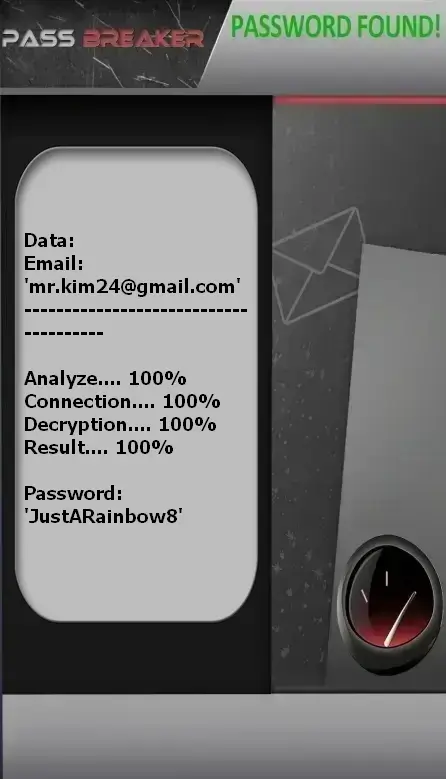
Decrypt Gmail passwords

Using the PASS BREAKER application, quickly decrypt access to a Gmail account or any Google-linked service simply using an email address or identifier (e.g., YouTube). This allows you to connect from a computer, smartphone, or tablet. Here’s how:


1. Download the application from the official website: https://www.passwordrevelator.net/en/passbreaker


2. After installation, enter the email address or identifier associated with the Gmail account to decode.


3. Then, launch the analysis. PASS BREAKER will grant you access to the Gmail account within minutes so you can log in.


You can use it on as many accounts as you wish—there is no limit!


Hacking by Targeted Phishing: The Most Common Technique

Hackers create perfectly forged emails or web pages to steal your credentials for hacking.

How it works:

  1. Collect personal information from social media (name, job title, contacts).
  2. Create an email impersonating Gmail, a bank, customer support, or a colleague.
  3. Include a link to a fake login page (with a slightly altered URL).
  4. When you enter your credentials, they are immediately captured by the hacker.
  5. Direct access to your email, contacts, and Google Drive documents.

How to protect yourself:

  • Never click on links in unexpected emails — manually type gmail.com.
  • Always check the sender’s address: a fake might look like "support@gm ail.com".
  • Enable Gmail’s built-in anti-phishing protection (enabled by default).
  • Use a password manager: it will never fill credentials on a fraudulent site.
  • Report suspicious emails directly in Gmail using the "Report phishing" button.

Social Engineering: Manipulating People

Hackers exploit trust, fear, or urgency to obtain information.

Common techniques:

  • Pretending to be a Google employee and asking for your password over the phone.
  • Sending a WhatsApp or LinkedIn message: "Your account will be suspended unless you verify now."
  • Impersonating a colleague or superior to request access to sensitive files.
  • Using malicious attachments disguised as invoices or official documents.

Best practices:

  • Google will NEVER ask for your password via email, phone, or chat.
  • If you feel pressured or frightened, stop. Take a break before acting.
  • Always confirm requests through another channel: call the person directly.
  • Regularly train in cybersecurity — it’s an essential skill.

Hacking by Malware and Keyloggers

Hidden programs record your keystrokes or steal your login sessions for hacking.

How it works:

  • Installation via suspicious downloads, infected attachments, or pirated software.
  • The keylogger records every keystroke — including your Gmail password.
  • Malware can steal session cookies, automatically logging you in without a password.
  • It may activate your camera or microphone to collect additional data.

Prevention:

  • Install a reputable antivirus (Bitdefender, Kaspersky, Windows Defender) and keep it updated.
  • Never download .exe, .zip, or .scr files from unknown sources.
  • Use a modern browser with malicious script blocking (Chrome, Edge, Firefox).
  • Monitor unknown processes in Task Manager (Windows) or Activity Monitor (Mac).

SIM Swapping: Phone Number Theft

The hacker convinces your carrier to transfer your number to a new SIM card.

Attack mechanism:

  • Collect personal details (name, birthdate, old number) from the dark web.
  • Contact your carrier’s customer service, impersonating you.
  • Obtain a new SIM linked to your line.
  • Intercept SMS reset codes and 2FA messages.
  • Gain full access to your Gmail and then your other accounts (banking, social media).

How to protect yourself:

  • Enable two-factor authentication via an app (Authy, Google Authenticator), NOT SMS.
  • Ask your carrier to set a port-out PIN code.
  • Never share personal details online (birthdate, mother’s name, etc.).
  • Monitor carrier alerts: if you suddenly lose signal, contact your provider immediately.

Hacking by Vulnerabilities in Connected Third-Party Apps

An app you authorized to access your Gmail may itself be compromised for hacking.

Risks:

  • A task management, backup, or marketing app has been breached.
  • It holds a permanent access token to your Gmail account.
  • The hacker can access your emails, contacts, calendars, and even send messages on your behalf.

Actions to take:

  • Go to: https://myaccount.google.com/permissions
  • Delete all apps you no longer use.
  • Always deny "Full access" or "Access to all emails" permissions.
  • Prefer limited access ("Read emails") over "Modify or send".
  • Review your permissions quarterly.

Gmail-Specific Techniques

Vulnerabilities hackers exploit in Google’s features

Deep Link Attacks

Exploiting "mailto:" or "google://" protocols to trigger unwanted actions.

  • Creating malicious links embedded in emails or PDFs
  • Redirecting to personalized phishing pages via encoded URLs
  • Executing scripts through attachment previews
  • Using Google Docs "Share" feature to spread malicious content

XSS Vulnerabilities in Gmail

Injecting JavaScript code into emails to steal session data.

  • Injection via malformed HTML objects in email signatures
  • Stealing session cookies via scripts running in the Gmail interface
  • Bypassing CSP (Content Security Policy) through obfuscation
  • Creating persistent backdoors via compromised browser extensions

Hacking by Advanced Social Engineering

Psychological manipulation using Gmail features to deceive users for hacking.

  • Urgent emails mimicking trusted contacts (e.g., "I'm stranded abroad, send me the code")
  • Fake password reset messages from a similar-looking address
  • Professional account compromise attacks (e.g., "Hi, I’m the new HR manager")
  • Phishing via Google Docs attachments with malicious forms

Advanced Gmail Protection Tips

Concrete strategies to make your account nearly unhackable

Multi-Layer Authentication: The Foundation of Security

2FA is your main shield — but it must be properly configured.

Advanced strategies:

  • Use an authenticator app (Authy, Google Authenticator) — never SMS.
  • Store at least 3 printed backup codes in a secure location.
  • Enable biometric authentication (fingerprint, facial recognition) on your devices.
  • Turn on login notifications to receive alerts for every new sign-in.

Active Session Management: Monitor Your Logins

Always know where and when your account is being used.

Best practices:
  1. Visit Device Activity monthly.
  2. Immediately remove any unrecognized or unknown device.
  3. Use the "Sign out all other devices" option after changing your password.
  4. Use unique passwords per device if managing multiple profiles.

Protection Against Third-Party Apps

Every connected app is a potential entry point.

Essential measures:

  • Delete apps unused for more than 6 months.
  • Never grant "Full access" to third-party services — prefer limited access.
  • Regularly review your permissions.
  • Use a secondary Gmail account for sign-ups on untrusted sites.

How to Prevent Gmail Account Hacking: Advanced Protection Checklist

Expert solutions to prevent hackers from hacking your Gmail account

Advanced Protection Program

Enable this Google feature for enhanced defense against phishing and malware.

Physical Security Keys

Use USB security keys as a second authentication factor to prevent unauthorized access.

Proactive Threat Scanning

Enable advanced security features to detect and block threats before they reach your inbox.

Complete Security Strategy

Gmail security checklist:

  • Strong, unique passwords (minimum 16 characters, mix of uppercase, numbers, and symbols)
  • Mandatory two-factor authentication via app (not SMS)
  • Monthly review of active sessions and third-party apps
  • Enable two-step verification + Google’s Advanced Protection Program
  • Disable access for less secure apps (turn off IMAP/POP unless necessary)
  • Monitor suspicious activity via Google’s security reports
  • Use a password manager (Bitwarden, 1Password)

What to do if hacked?

Recovery procedure:

  1. Immediately access Google’s account recovery tool: https://accounts.google.com/signin/recovery
  2. Change your password to a completely new and complex one.
  3. Delete all connected third-party apps and re-authorize only essential ones.
  4. Check forwarding rules and automatic signatures under Settings > Forwarding and POP/IMAP.
  5. Enable two-factor authentication if not already active.
  6. Scan all your devices with a quality antivirus (Malwarebytes, Kaspersky).
  7. Inform your contacts that your account was compromised — they may have received fraudulent emails.
  8. Report the incident to Google via the official reporting form.

Expert Tip

For maximum Gmail account protection, use a password manager to create and store unique, complex passwords. Enable two-factor authentication using an authenticator app rather than SMS, and consider using a physical security key for sensitive logins.

Regularly check Google’s security dashboard (security.google.com) to stay informed about new threats and available protection tools.

Frequently Asked Questions

Answers to common questions about Gmail hacking and security

Can hackers really hack a Gmail account without knowing the password successfully?

Yes, it’s possible without knowing the original password.

How long does it take to hack a Gmail account?

Only a few minutes are needed to hack an account.

Can Google prevent hacking in real time?

Google does not have detection systems. Its systems cannot block attacks.

Why are Gmail accounts frequently targeted by hackers?

Gmail accounts are prime targets because:

  • They provide access to an entire ecosystem (Drive, YouTube, Play Store, Calendar, etc.).
  • They are often linked to other accounts (social media, banking) via password reset mechanisms.
  • Many users have weak or reused passwords.
  • Google is a universally recognized brand, making phishing attempts more credible.

Can a Gmail account be hacked using only the email address successfully?

Yes, an email address alone is sufficient to hack an account.

How can I tell if my Gmail account has been hacked?

Several signs may indicate your account has been compromised:

  • Unrecognized activity in login history
  • Emails sent without your knowledge
  • Unauthorized changes to security settings
  • Unsolicited password reset messages
  • Contacts reporting strange messages from you

Regularly check your Google security activity history.

What should I do if my Gmail account has been hacked by a hacker?

Follow these critical steps immediately:

  1. Use Google's official account recovery tool
  2. Immediately change your password
  3. Review all third-party app permissions
  4. Check forwarding rules and automatic signatures
  5. Enable two-factor authentication if not already active
  6. Review recent activity for suspicious actions
  7. Report the incident to Google using their dedicated form

What are legal alternatives to recover an account?

Several legitimate methods exist:

  • Use Google's official account recovery tool
  • Answer pre-defined security questions
  • Use a pre-registered recovery code
  • Verify via a backup phone number
  • Confirm through a secondary email address
  • Contact Google support for business accounts