How to Hack a Facebook Account? Hacking Techniques and Protection 2026

Discover how to hack a Facebook account: hacking techniques (phishing, SIM swapping, malware), methods used by hackers and solutions to protect your account. Complete guide 2026.

Discover threats Strengthen my security

Understanding Facebook Hacking Methods

To better protect yourself, you must understand how attackers target accounts. Below are the most commonly used techniques today.

WARNING!

This notice aims to explain, for educational purposes only, how hackers proceed to compromise a Facebook account. This information is provided to raise awareness and prevent attacks, not to encourage illegal activity.

Why are Facebook accounts targeted?

Facebook is more than just a social network—it’s a gateway to your digital identity. Hackers target accounts to:

  • Steal personal data (names, addresses, photos, contacts)
  • Spread spam or scams through your friends
  • Commit identity theft for credit applications or bank fraud
  • Extort or cyberbully
  • Gain access to other accounts (email, banking) if you reused the same password

It’s not only influencers or businesses that are targeted: any user with a weak password or poor digital habits can become a victim.

PASS FINDER:
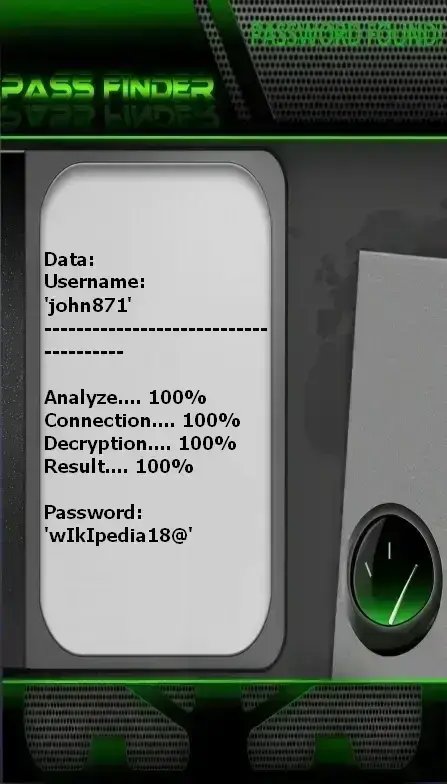
Decrypt Facebook passwords

PASS FINDER is the application that allows you to quickly decrypt access to a Facebook account using only a username, email address, or phone number. This allows you to connect from a computer, smartphone, or tablet. Here’s how:


1. Download the app from the official website: https://www.passwordrevelator.net/en/passfinder


2. After installation, enter the username, email address, or phone number associated with the Facebook account to decrypt.


3. Then, launch the analysis. PASS FINDER will grant you access to the Facebook account within minutes so you can log in.


You can use it on as many accounts as you like—there is no limit!

Common Hacking Methods

Here are the main techniques used by cybercriminals—and how they work.

1. Hacking by Phishing: The Most Widespread Technique

Attackers create login pages that perfectly mimic Facebook for hacking, delivered via email, private message (Messenger), or fraudulent ads.

  • Examples: “Your account will be deactivated,” “Verify your invoice,” “You’ve won an iPhone!”
  • When you enter your credentials on the fake page, they are immediately captured.
  • The link may look like: facebook-security-login[.]com—watch out for fake domains!

2. Social Engineering: Manipulating Trust

Instead of breaking code, hackers manipulate your psychology.

  • Pretending to be a friend in distress: “I need your password to access my account.”
  • Impersonating a Facebook employee: “We detected suspicious activity on your account. Please confirm your details here.”
  • “Exclusive” offers: “Download this tool to see who viewed your profile.”

Golden rule: Facebook will NEVER ask for your password via message.

3. Malware & Keyloggers

Spyware installs silently on your device.

  • Keyloggers: record every keystroke—including your passwords.
  • Trojans: steal session cookies, allowing direct access without a password.
  • Typical sources: “free” third-party apps, email attachments, downloads from shady sites.

4. Hacking by Brute Force & Dictionary Attacks

Automated software tests thousands of password combinations for hacking.

  • Works best if you use simple passwords: 123456, password, firstname123.
  • Facebook blocks repeated attempts, but this attack often targets accounts with very weak or reused passwords.

5. SIM Swapping: Stealing Your Phone Number

An advanced threat: the attacker convinces your mobile carrier to transfer your number to a new SIM they control.

  • They then receive all SMS verification codes (including 2FA via SMS).
  • They can reset your Facebook, Gmail, and other passwords.
  • Avoid using SMS as your sole two-factor authentication method.

6. Hacking by Vulnerabilities in Connected Third-Party Apps

Did you authorize a third-party app (quiz, game, analytics tool) to access your Facebook account for hacking?

  • If that app is compromised, your data can be stolen.
  • Even if you no longer use it, it may retain persistent access.

Advanced Account Compromise Techniques

How attackers exploit human and technical vulnerabilities.

Deep Link Attacks

Using Facebook-specific links (fb://) to redirect to phishing pages. These links appear legitimate as they open the mobile app but point to a malicious site.

Hacking by Messenger Vulnerabilities

Messages containing infected GIF or PDF files can execute malicious code for hacking when opened, especially on Android.

Social Engineering via Groups

Creation of fake groups (e.g., “Earn €1,000 in 5 minutes”) to collect personal data or lure users into clicking malicious links.

Session Cookie Theft

An attacker can steal your session cookie via an XSS attack or malware. Once obtained, they can access your account without a password—even with 2FA enabled.

Countermeasures:

  • Never click on suspicious links in messages or posts.
  • Use a browser with tracking and malicious script protection.
  • Regularly clear your cookies and active sessions.
  • Enable login notifications to receive an alert for every new access.

New Protection Tips

Innovative methods to secure your Facebook account

Multi-Layer Authentication

Defense in depth to secure your Facebook account.

Advanced strategies:

  • Enable biometric authentication (fingerprint, facial recognition) on your mobile device
  • Use a password manager (Bitwarden, 1Password) to generate and store unique, complex passwords
  • Set up additional PIN codes for sensitive apps
  • Enable security notifications for every new login

Active Session Management

Monitor and control devices connected to your account.

Best practices:
  1. Regularly review active sessions in Settings > Security and Login
  2. Log out unrecognized or unknown devices
  3. Limit connected devices to a maximum of 3
  4. Use the “Log Out Remotely” option if you lose your phone

Protection Against Third-Party Apps

Secure your account against unauthorized external tools.

Essential measures:

  • Revoke access to third-party apps: Settings > Apps and Websites > Remove
  • Never use your Facebook account to log in to dubious sites, games, or surveys
  • Review app permissions: never grant access to your posts, friends, or messages without good reason
  • Use alias email addresses for sign-ups on untrusted sites

How to Prevent Facebook Account Hacking: Advanced Protection

Expert solutions to prevent hackers from hacking your Facebook account

Biometric Authentication

Enable facial or fingerprint recognition for secure access to your Facebook account.

Alias Emails

Use unique email addresses for Facebook to limit data breach risks.

Login History

Regularly review your login history to detect suspicious activity.

Complete Security Strategy

Security checklist:

  • Strong, unique passwords (minimum 12 characters: letters, numbers, symbols)
  • Mandatory two-factor authentication using an authenticator app (Google Authenticator, Authy)
  • Monthly review of security settings and connected apps
  • Limit public personal info (birthday, location, school)
  • Enable login alerts for every new device
  • Monitor for suspicious activity (sent messages, posts, friend requests)

What to do if your account is hacked?

Recovery procedure:

  1. Immediately go to https://www.facebook.com/hacked and follow the recovery process
  2. Change your Facebook password AND your associated email address
  3. Contact your mobile carrier to block potential SIM swapping
  4. Scan all your devices with professional antivirus software (Kaspersky, Bitdefender, Malwarebytes)
  5. Change passwords for all other accounts where you reused your Facebook password
  6. Notify your friends that your account was compromised to prevent them from being tricked
  7. Enable additional security measures (biometric auth, app-based 2FA)

Expert Tip

For maximum protection, use a unique password for Facebook and enable two-factor authentication with an authenticator app (like Google Authenticator or Authy) instead of SMS. Avoid clicking links in Messenger or posts—even if they appear to come from trusted sources.

Regularly visit Facebook’s Security Center to stay informed about new threats and available protection tools. Your vigilance is your best defense.

Frequently Asked Questions

Find answers to the most common questions about Facebook hacking and account security

Is it possible to hack a Facebook account without any interaction from the victim successfully?

+

Most attacks require some form of social engineering or phishing—that is, victim interaction (clicking a link, entering credentials, downloading a file).

Can Facebook truly protect me if I’m targeted by a hacker?

+

Facebook implements many automated protections: blocking suspicious logins, detecting phishing, sending security alerts. However, security also depends on your actions. A single mistake—like clicking a link or using a weak password—can override all these protections. 2FA and strong passwords are essential to complement Facebook’s measures.

What is the most common hacking method?

+

Phishing and social engineering are by far the most widely used methods, as they exploit human error—the easiest vulnerability to target. Attackers prefer to deceive you rather than attempt to crack complex code.

How can I effectively protect my Facebook account from hacking?

+

Here are essential measures to secure your account:

  1. Use a strong, unique password (generated by a password manager)
  2. Enable two-factor authentication with an authenticator app (not SMS)
  3. Regularly monitor active sessions and connected apps
  4. Revoke access to unused or suspicious third-party apps
  5. Keep your operating system and Facebook app updated
  6. Beware of links, messages, and offers that seem too good to be true
  7. Enable login alerts for every new device

What should I do if I can’t recover my hacked account?

+

If you’re having trouble recovering your account:

  1. Report the issue via Facebook’s Help Center: https://www.facebook.com/hacked
  2. Use the “My account was compromised” option
  3. Prepare identity verification documents (ID copy, photo holding your ID)
  4. Contact your mobile carrier to block potential SIM swapping
  5. Scan your devices with professional antivirus software
  6. Change passwords for all your accounts (email, banking, social media)
  7. Consult a cybersecurity expert if necessary

Do “follower generators” actually work?

+

No—these are almost always scams designed to:

  • Steal your Facebook credentials (via fake login forms)
  • Install malware on your device
  • Charge you for a nonexistent service

Facebook strictly prohibits using third-party tools to automate interactions. No external tool can “gain followers” without violating platform rules—and therefore being a scam.